Features
Time Tracking That Techs Actually Use
ConnectWise time tracking is painful, so techs avoid it and revenue disappears. CW Timer is the fast, mobile-first timer that makes logging time as easy as tapping a button.
Core Timer
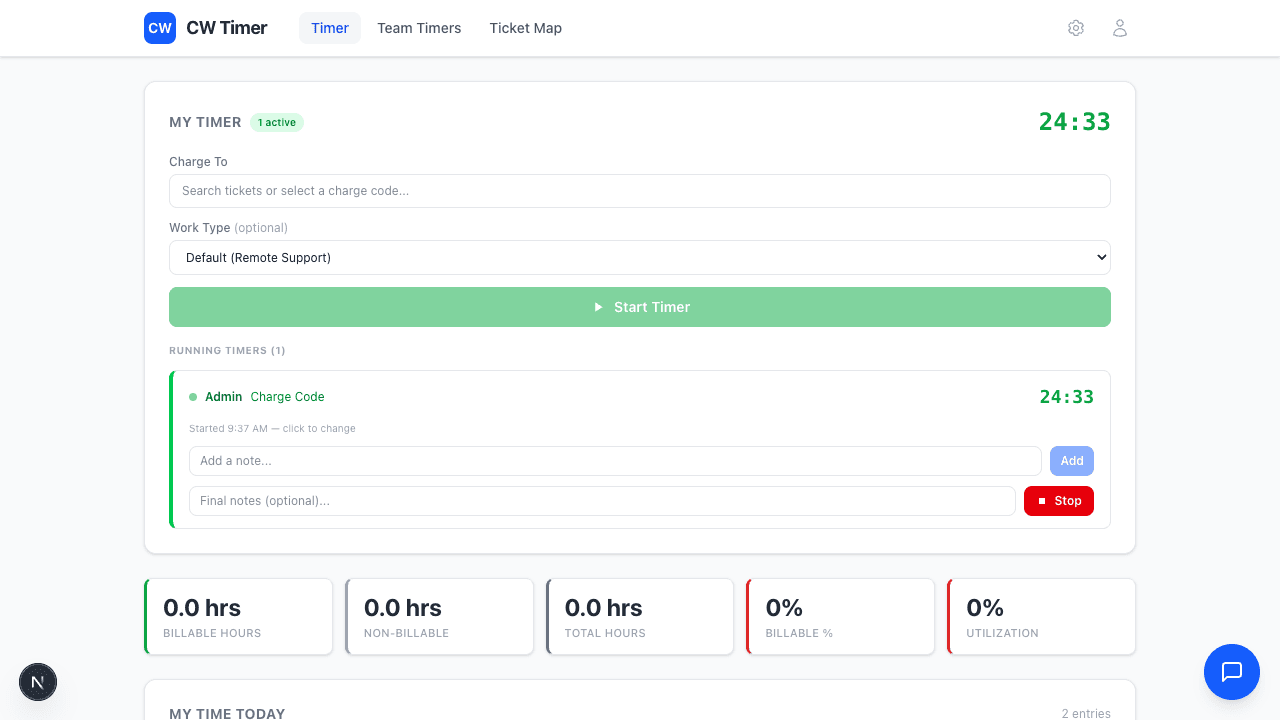
One Tap. Timer Running.
Start timing on any ticket or charge code instantly. CW Timer supports both CW stopwatch and charge code modes, so it works however your team already operates.
- Start/stop timers on any CW ticket in one tap
- Supports both stopwatch and charge code time entry modes
- Search tickets and charge codes inline
- Timer persists across sessions — close the tab, reopen, still running
Daily Stats
Know Where Your Hours Go
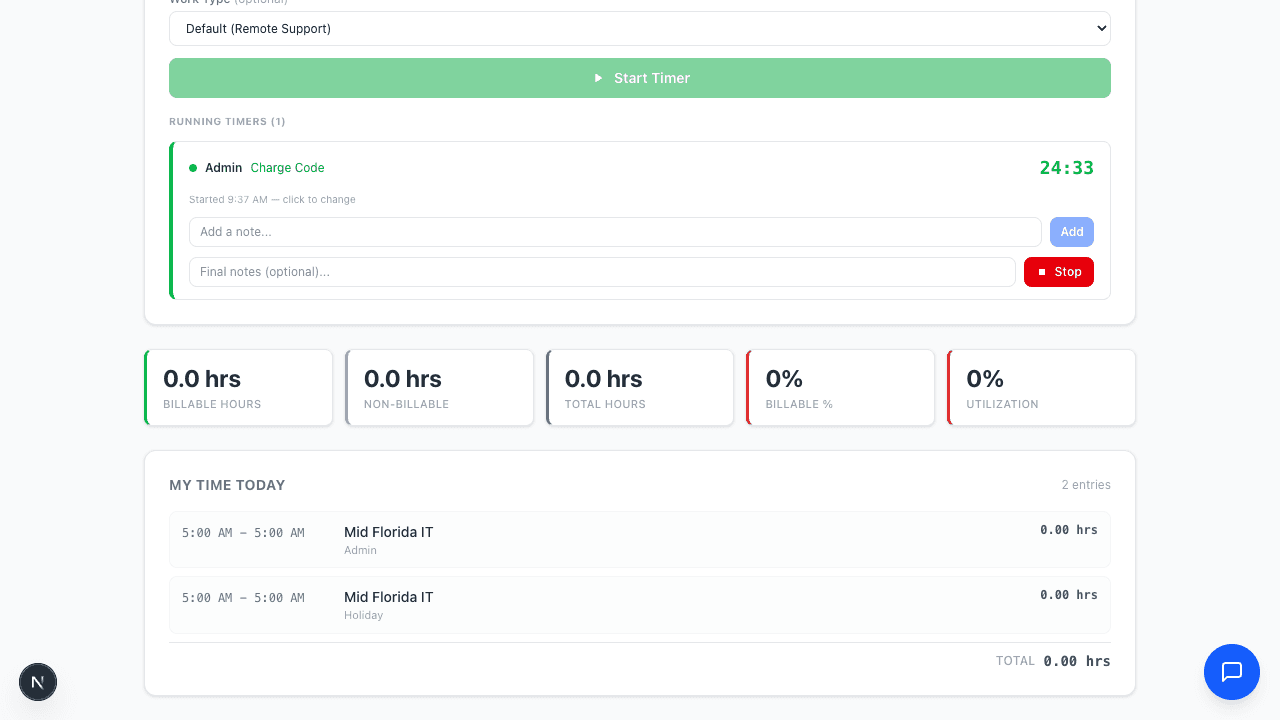
Track billable vs. non-billable time at a glance. The stats bar shows your utilization in real time, and the daily time log keeps a running record of everything logged.
- Real-time billable and non-billable hour breakdown
- Utilization percentage updated as you work
- Daily time entry log with ticket details
- No more end-of-day guesswork about where time went
Team Visibility
See Your Whole Team in Real Time
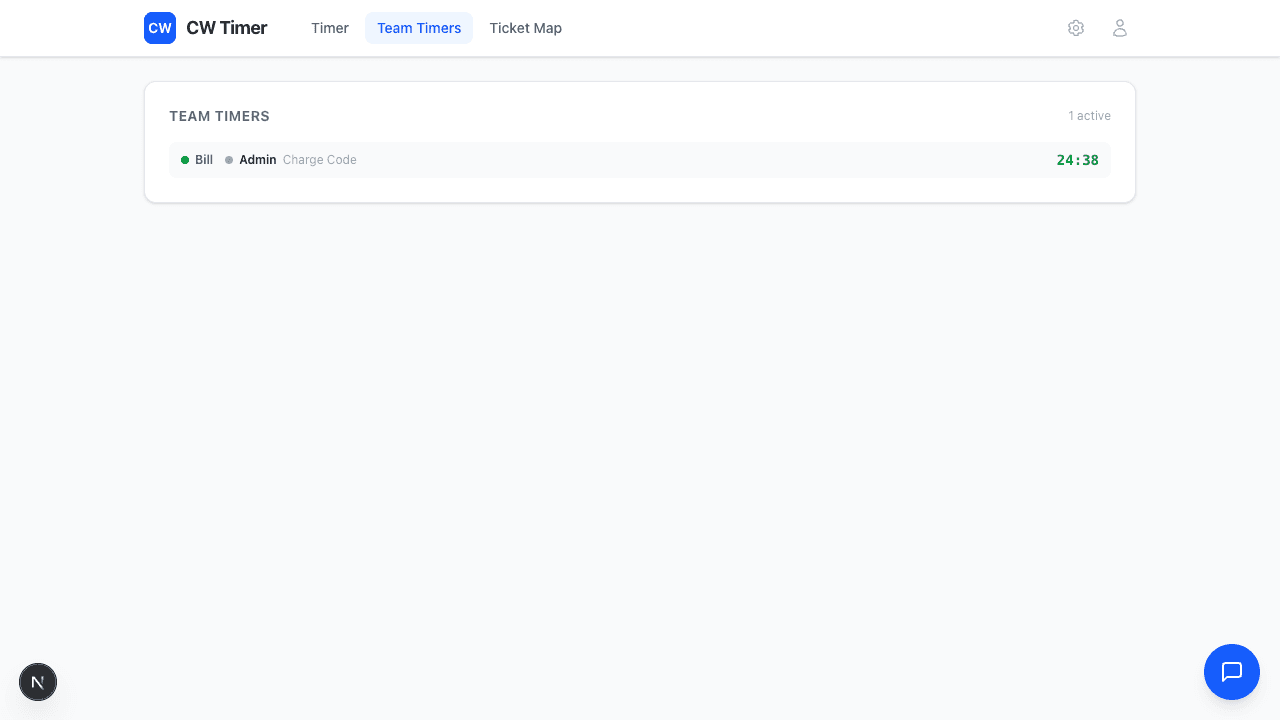
Service managers and dispatchers get a live view of who's timing what across the entire team. No more wondering if techs are tracking time.
- Real-time dashboard of all active timers across the team
- See which tickets techs are working on right now
- Free for service managers — no paid seat required
- Perfect for dispatchers coordinating field work
Charge Codes
Track Non-Ticket Work Too
Not all work happens on a ticket. Internal meetings, training, travel — CW Timer handles charge code time entries so your team can log everything without leaving the app.
- Browse and search all ConnectWise charge codes
- One-tap start on frequently used charge codes
- Same timer experience as ticket-based timing
- Keeps non-billable time visible for accurate utilization
Weekly Team Standup
00:47:12
Quick Start
KPI Dashboard
Real-Time Performance at a Glance
Every tech sees their hours, utilization, and billable split updating in real time. Managers get the same view across the whole team. No spreadsheets, no end-of-week reports.
- Hours today, utilization %, and billable breakdown
- Visual utilization bar with target line
- Running log of today's time entries
- Surfaces problems immediately — not after the week is over
6.5h
Hours Today
+1.2 vs avg
94%
Utilization
Target: 85%
5.8h
Billable
89% of total
0.7h
Non-Billable
11% of total
Today's Entries
Contact Directory
Your CW Contacts, Anywhere
Pull up any contact from ConnectWise while you're in the field. Search by name, company, or type — get the phone number or email you need without logging into CW Manage.
- Searchable directory synced from ConnectWise Manage
- Filter by company, contact type, or department
- Tap to call or email directly from the directory
- Works offline with cached contact data
Showing 5 of 247 contacts
| Name | Type |
|---|---|
Sarah Chen Apex Manufacturing | Primary |
Mike Torres Greenfield Legal | Primary |
Lisa Patel Apex Manufacturing | Billing |
James Wright Summit Financial | Primary |
Anna Kowalski BrightPath Education | Technical |
GPS Map
See Techs and Tickets on a Map
Dispatchers get a live map showing where every tech is and where open tickets are. Route the closest tech to the next job and cut drive time.
- Live GPS positions for all active techs
- Open tickets plotted by site address
- Color-coded pins: blue for techs, orange for tickets
- Perfect for dispatching and route optimization
CW Configuration
Connect in Under 2 Minutes
Plug in your ConnectWise API credentials and you're live. The setup panel validates your connection, confirms permissions, and shows real-time status so you know it's working.
- Guided API credential entry with validation
- Real-time connection status and health checks
- Permission verification for tickets, time entries, and contacts
- No IT involvement needed — any CW admin can set it up
ConnectWise API Configuration
Onboarding
Three Steps to Running
Connect your CW instance, configure your defaults, and invite your team. The onboarding wizard walks through each step with sensible defaults so you're up and running in minutes.
- 3-step guided setup: Connect, Configure, Invite
- Sensible defaults for time entry mode and rounding
- Invite team members with a single link
- No per-seat setup — techs sign in and start timing
Configure Your Workspace
Set up default settings for your team.
Stopwatch
Start/stop timers
Manual Entry
Log after the fact
Mobile-First
Built for Techs in the Field
CW Timer is a web app that works on any device with a browser. No app store downloads, no IT deployment headaches. Send your team a link and they're up in seconds.
- Works on phones, tablets, laptops — any browser
- No app install or MDM deployment needed
- Responsive design built for touch-first interaction
- Bookmark it to your home screen for native-app feel
Any device. Any browser.
No app store. No installs. Just open and start timing.
See It in Action
Start your 14-day free trial and watch your team actually start tracking time. No credit card required.
Start Free Trial